Once you register your RocketRent account, you will be able to finish setting up your dashboard in five (5) easy steps.
1. Add your Owner Information
2. Verify your email
3. Add a property
4. Add a Tenant/Lease
5. Accept Electronic Payments
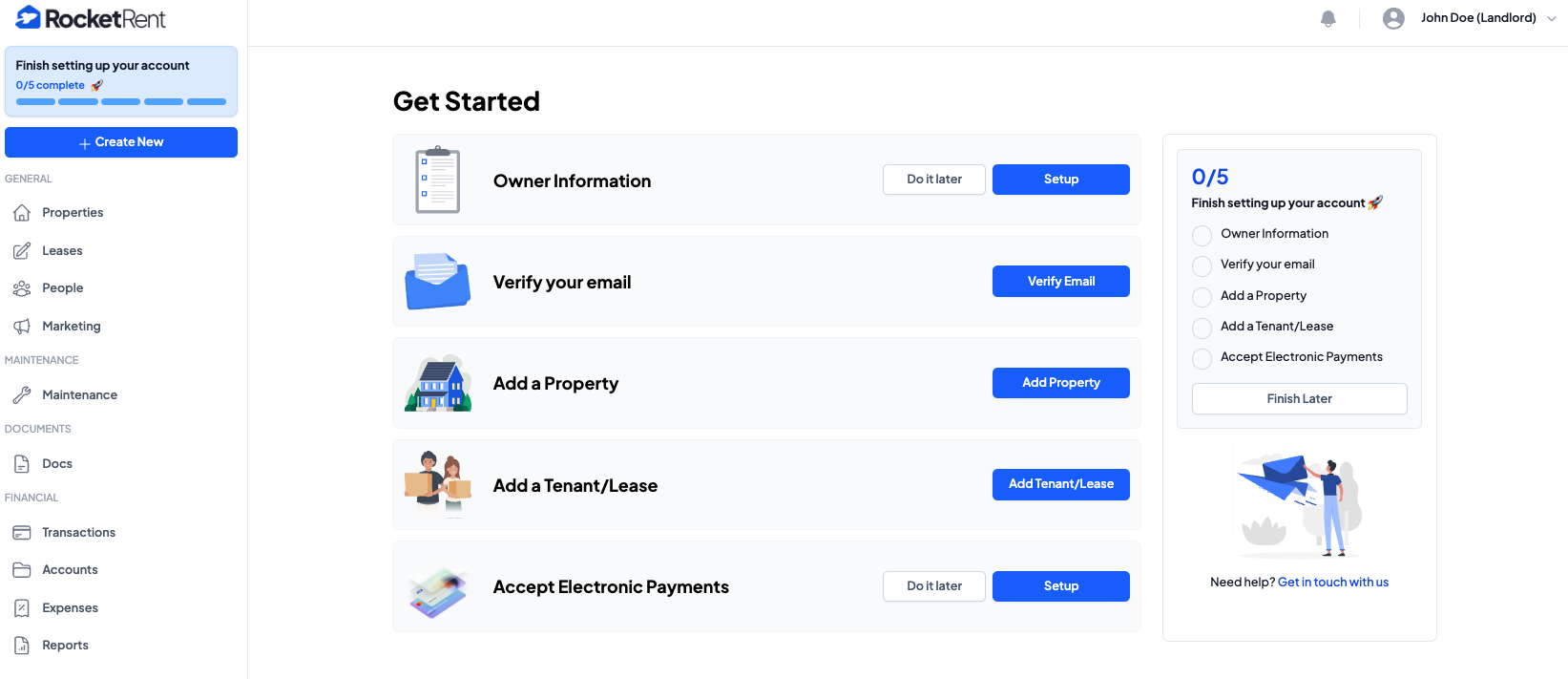
Once your information is added, you can view the dashboard sections on the left-hand side of your homepage.
- GENERAL
- Properties
- Leases
- People
- Marketing
- MAINTENANCE
- Maintenance
- DOCUMENTS
- Docs
- FINANCIAL
- Transactions
- Accounts
- Expenses
- Reports
Was this article helpful?
That’s Great!
Thank you for your feedback
Sorry! We couldn't be helpful
Thank you for your feedback
Feedback sent
We appreciate your effort and will try to fix the article