When adding your owner information, you can manage your properties as an Individual or a Business.
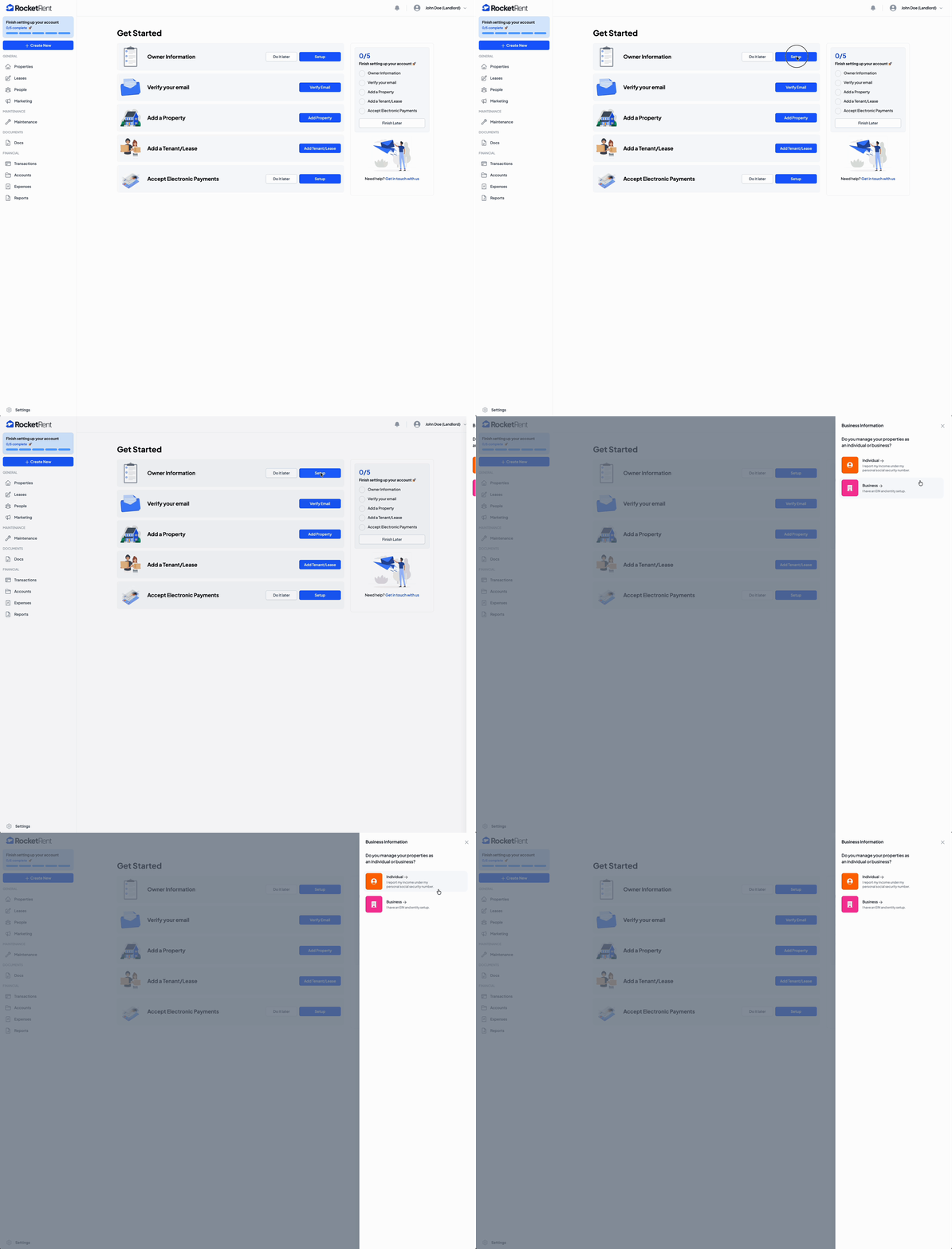
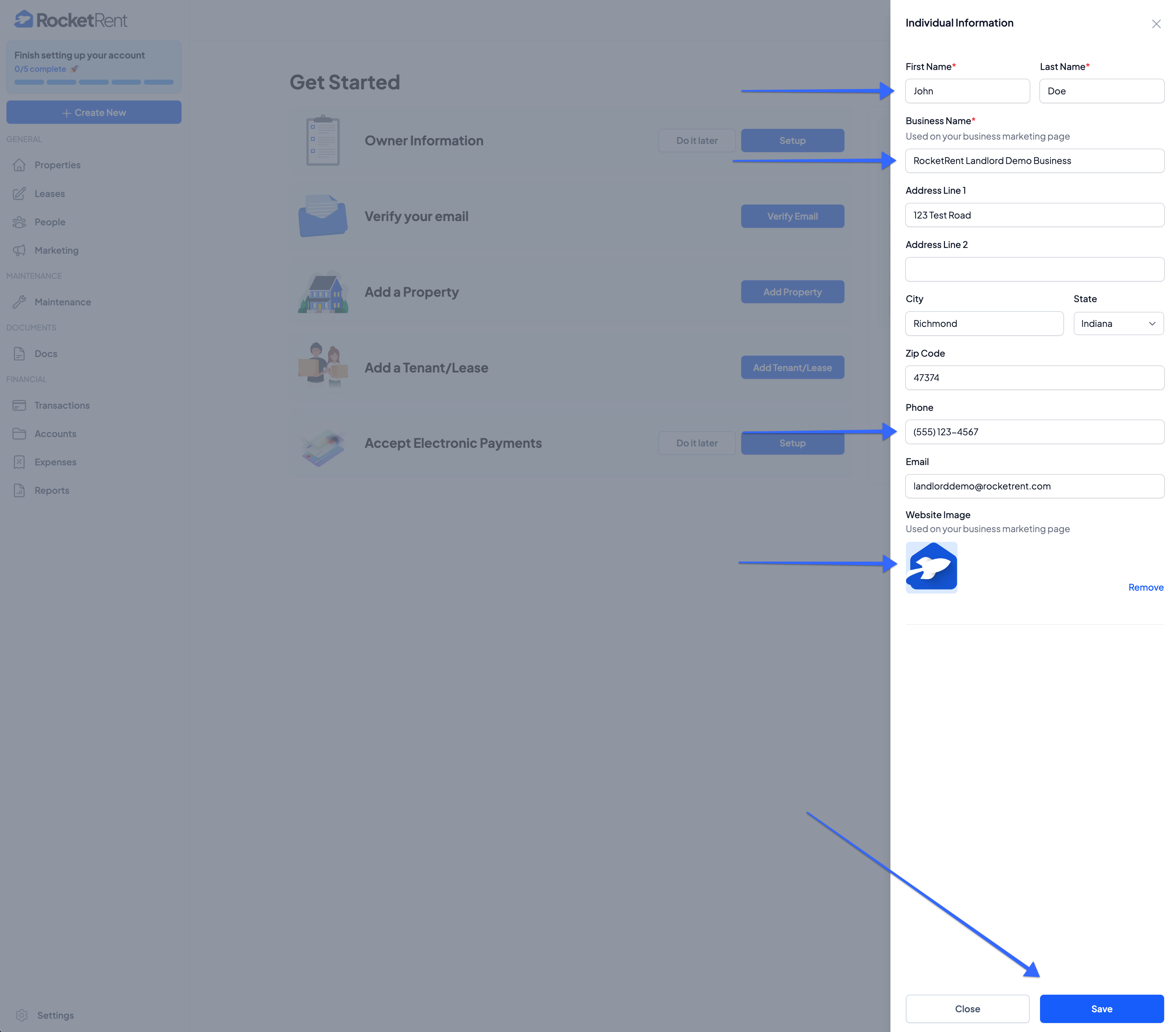
ENTER your
- First and Last Name
- Business Name
- Business or Personal Address
- Phone Number
- Upload your Website Image (to be used on your business marketing page)
- Click Save
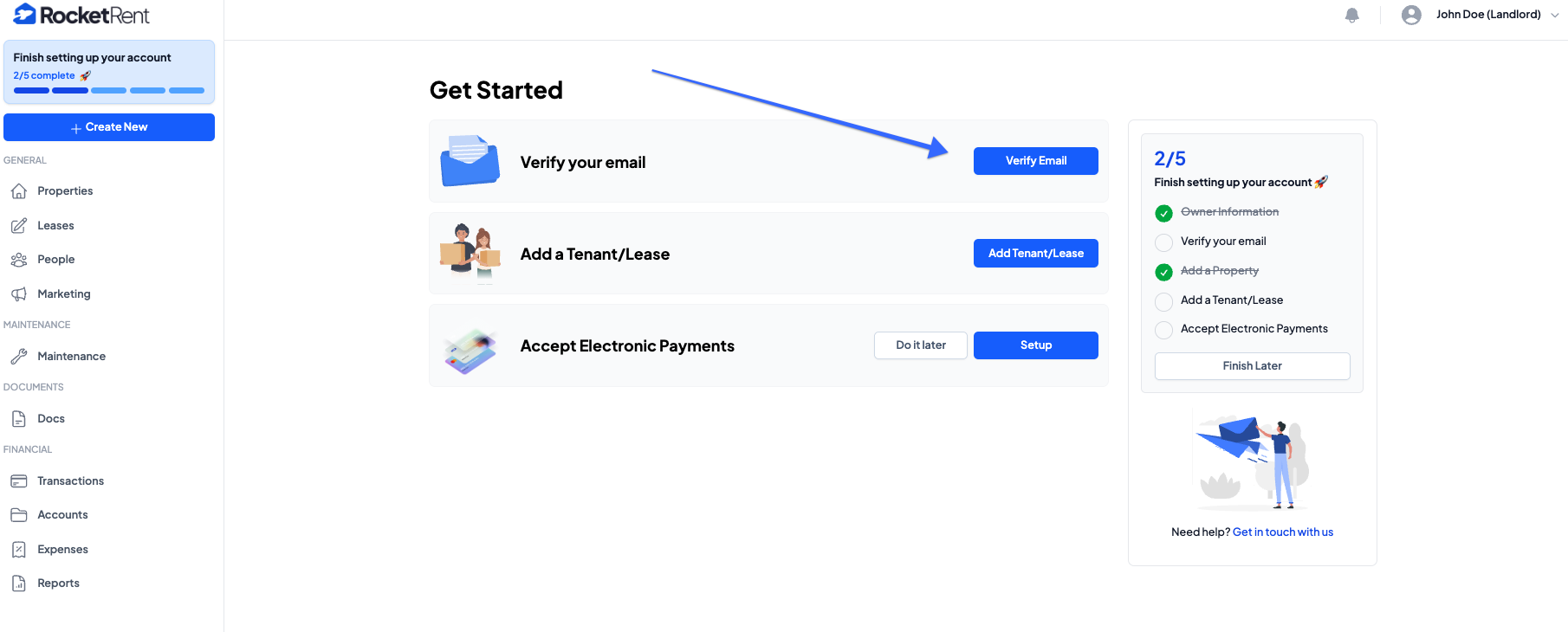
Once you save your information, you will see the account progress bar update to show the remaining tasks needed to complete your account's profile.
If you haven't already, make sure to VERIFY YOUR EMAIL that you used to register your account.
After you have added the general information needed to complete all the business details and verify your email address, you can start adding properties, tenants, leases, etc. See the other knowledge base articles under "Landlords" to reference other aspects of your account.
Was this article helpful?
That’s Great!
Thank you for your feedback
Sorry! We couldn't be helpful
Thank you for your feedback
Feedback sent
We appreciate your effort and will try to fix the article